The Top 26 iOS Features Developers in the USA Should Explore 19 Dec 2025
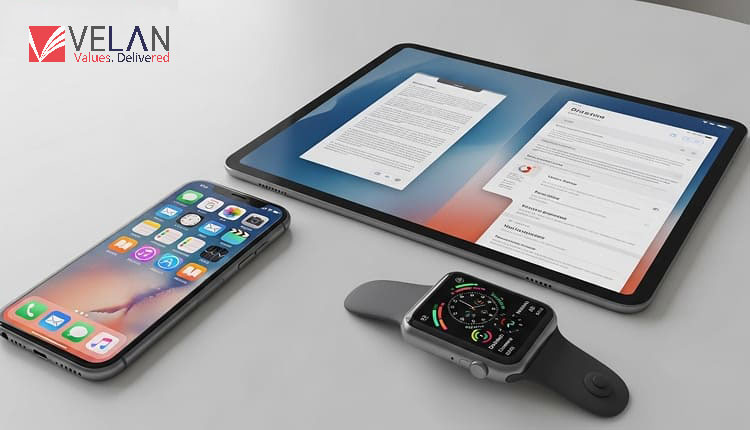
iOS 26 and What’s New for Developers Apple just rolled out iOS 26, and it’s a big deal for developers. This update brings faster performance, new UI tricks, and some seriously smart AI tools that make coding smoother. You’ll notice it right away, whether you’re cleaning up old code or starting something from scratch. The toolkit in iOS 26 helps you build apps that are quicker, smarter, and way more interactive.
They’ve overhauled a bunch of APIs and layered in new machine learning features, so you’ve got everything you need to keep up as users want more and expect better experiences from their apps. If you want to stay ahead of the curve, iOS 26 gives you the right tools to get there.
Key iOS 26 Features You Should Know
Apple really doubled down on making life easier for developers with iOS 26. Whether you’re building your first app or you’ve been at it for years, there’s a lot packed in here.
SwiftUI iOS 26: Just Got Smarter
This update takes SwiftUI to the next level. For starters, there’s a new dynamic layout engine that handles screen sizes and orientation changes automatically. So, you spend less time wrestling with layouts and more time building features.
Animations feel smoother now, too. The new state-driven system takes care of transitions, so you don’t have to write a bunch of complicated animation code. Widgets also get a big upgrade—they’re more interactive, refresh in the background, and even handle real-time updates.
Essentially, if you want your app to look sharp and run smoothly on any device, these new tools in SwiftUI make that a lot easier.
AI Tools Built Right into Xcode
Apple’s putting AI front and centre this year. Xcode now helps you write code faster with AI-assisted sugg
estions. It’ll even catch bugs for you and suggest fixes using Apple’s machine learning models. The new performance engine keeps an eye on your app and points out where you can make things run better.
And if you’re working with on-device AI, Apple’s built-in inference tools help you speed things up without jumping through extra hoops.
All these features add up to less grunt work, smarter apps, and a smoother workflow for anyone building on iOS 26.
Developer Productivity Upgrades in iOS 26
If you’re a developer trying to save time, iOS 26 has some pretty solid upgrades. Apple’s rolled out new tools in the US that cut out a lot of the tedious work, so you can actually focus on building and shipping apps faster.
- Xcode’s builds are way quicker now—up to 30% faster, which makes a difference when you’re running things over and over.
- Simulators feel a lot more alive too. You can tweak UI, play with gestures, test accessibility, and see the results right away. No more endless waiting or guessing.
- The new memory debugger? It actually spots leaks for you and explains what’s going wrong, so you don’t have to dig through logs for hours.
- And if you’re working with a team, the cloud sync for projects means everyone can jump in, make changes, and stay in sync—even if you’re not all in the same place.
These features are all great for working with iOS 26, whether on your own or making development as a large team easier.
Why USA Developers Should Focus on iOS 26
To remain competitive in a continually changing industry, iOS app developers in the United States must stay up to speed with iOS 26. It is not even a nice-to-have but a way to stay in the playing field. People here love getting the newest Apple stuff as soon as it drops, so your apps have to keep up: fast, modern, and secure.
You are not just ticking boxes by focusing on iOS app development
- Easier compliance with Apple’s latest rules
- Access to new APIs that help your users stick around
- Better performance for AR, AI, and cloud-based features
- A tighter fit with what US users want, especially for accessibility and privacy
If you want your app to stand out—whether you’re building for a big company, a startup, or just launching something personal—staying ahead with iOS 26 really matters.
Using iOS 26 for app growth: Everything you need to know
Avoid stale ways of doing things if you want your app to prosper on iOS 26. Start building your UI with SwiftUI right from the beginning. It’s the way forward, and honestly, it’ll save you time down the road.
- Lean into those new AI coding tools. They’re not just hype—they actually cut down the hours you’d usually spend testing and hunting bugs.
- Tackle performance early. The new runtime analytics give you a closer look at what’s slowing things down, so you can fix issues before they hit your users.
- Use Async APIs to allow your app to continue working while it has heavy lifting work to do in the background.
- Play around with widget interactivity. So, it is not all about eye-catching—interactive widgets really hook users and make them return.
- And whatever you do, don’t ignore privacy. Apple’s got new rules for data handling, and users care about it. Stay sharp and make sure you’re following the latest guidelines.
Teams that go after these changes head-on build apps that aren’t just fast—they stand out in the App Store.
Looking Ahead: Where Apple Development’s Headed
iOS 26 isn’t just another update. It’s Apple laying out where they think mobile development should go next. With all these new tools, AI features, and powerful SwiftUI upgrades, building outstanding experiences just got a whole lot faster.
If you dive in and really learn what’s new, you’ll be ready to build the kind of apps people want.
FAQs
- What are some of the best iOS 26 features developers can make use of?
Upgraded SwiftUI APIs, smarter AI tools, better widgets, faster Xcode builds, and debugging that just seems easier.
- Is SwiftUI the main UI framework in iOS 26?
Yes. Apple’s all in on SwiftUI now. It’s the go-to for modern iOS apps, and they just keep improving it.
- Any new tools to boost productivity?
Definitely. Builds run faster, simulators work in real time, memory analysis is sharper, and AI recommends ways you can improve as you go.
- Do these tools help iOS app developers in the USA specifically?
For sure. Devise relies on U.S. developers to develop new features and gets them earlier; plus, it is easier to remain in compliance and synchronization with local user needs.
- Should I upgrade my existing app to iOS 26?
No question—upgrade. This will provide higher performance and access to newer APIs, and you won’t have to worry about compatibility in the future.